Emirates Airbus 380 pictures
the epicurean journey of a foodie
To download apps sync your iPhone to your computer, go to iTunes store and create an account with your local credit card. Even when downloading free apps they will charge you $0.00. Don’t forget to download audio or video podcasts of topics that interest you. They’re free!
This is what my home screen looks like. It contains the apps I use 90% of the time.
1. Air Sharing is for transferring files like MS office files, pdf and others from my mac to the iPhone. It will open any of these files natively. I was lucky to download this for free when it was new. Now it costs $4.99.
2. 1Password is a password manager. What makes it different is it has a desktop application that keeps track of your web log-in names and password. I can’t live without this. Imagine the number of email accounts, subscriptions, forum accounts we have. I don’t think you use the same password for all, do you? Whatever changes and updates I make on my browser the data will be synced with 1Password for the iPhone. If I use my iPhone to surf I can access all my password to all the sites. Again I got it for free. Now it costs $4.99.
Do you notice a trend? When there is a new app and it’s free for a limited time just download it. You can assess if you like it on your own time. At least you got it while it’s free. More on this later.
3. SplashID is another password manager I’ve used since my Dell Axim days. I bought this for $9.99 since all my credit card, personal info, etc. were already entered into SplashID. I didn’t want to enter everything again in another password manager. This also has a free desktop application that will let you sync with your iPhone.
4. White Noise is my sleep savior. I have a hard time sleeping at night even when I take Melatonin or sleep tea. When I’m ready to sleep I put my iPod beside my pillow, turn on White Noise, select beach waves crashing and set the timer to 15 minutes. In a few minutes I’m in deep sleep. It works great on the plane too. Really! This program contains 40 different ambient sounds. I got it for free. Now it costs $1.99. There is also a lite version that’s free.
5. Zenbe is my list maker, to do list and reminder app all in one. There are so many to do apps on the iTunes store but it’s only Zenbe for me. I love it because you can enter all your lists online for free and sync it with your iPhone. I got it for free. Now it costs $2.99. It’s worth the cost.
6. Evernote lets you clip recipes, pictures, or anything on any web site and it will be saved on your iPhone. You can also take pictures, sound clips or notes on your iPhone and it will all be synced with your desktop application. This is a screenshot of the recipes I have copied from blogs. Now I can see them whenever I want. This is a pretty amazing software. I can’t wait for my iPhone. I can take pictures of prices of goods and compare with other supermarkets. The uses for this app are endless. Check their blog for suggestions. This is free!
7. Shopper is a shopping list that lets me make separate lists for my needs and separate list of items per store. It also lets me put the price of each item per store so I can compare the prices and get the best deal. This app is invaluable to me since I shop in several supermarkets for my store SOS. Instead of bringing a long paper list for each store I just use this app and I never forget anything. I paid $.99 for this.
8. iSilo is the app I use every single day. It’s what I use to read books. I paid $9.99 for it. There are several excellent free e-book readers like Stanza and eReader but I gladly paid for iSilo because of it’s smooth auto-scroll and other features that make reading on an iPod Touch a joy. They have a free software, iSilo-x to convert text, doc or html to isilo format.

10. Can’t decide what Apps to download? Check out appdvice’s list.
Here are some tips and tricks that will help you with your new iPhone. I culled these from several web sites.
1. How to get apps for free? Check out sites like AppShopper and FreeAppAlert regularly for sales and price drops. This is how I got most of my apps for free. AppGiveaway is a new site that gives free promo codes for apps.
2. How to make free ringtones for your iPhone using iTunes? Check out this clear and easy tutorial.
3. How to Take Screen Shot?
Hold the “home” button, then hit the “power/sleep” button, the screen will momentarily flash, and the iPhone’s current screen contents will be saved to the Camera Roll.
4. How to disable iPhone 3Gs OS 3.0 GPRS or Edge Connection? click here or here. Why do you need to do this? Globe and other carriers charge an absurd amount of money if you surf or access the internet using GPRS or Edge. It’s cheaper if you have a data plan or if you use wi-fi. You need to disable GPRS so you won’t accidentally access it should you tap on email or safari. There are several horror stories on forums wherein people where charged tens of thousand of pesos because they didn’t do this.
5. How to Force Quit An App? If an app you are using suddenly freezes you can actually apply a force quit on it by pressing the Home button for at least six seconds.
6. How to maximize battery life?
7. How to reformat your iPhone and clear all data?
8. 22 More iPhone 3.0 Features You May Not Know
9. How To Use The Best 40 Features of iPhone 3.0
10. 12 iPhone Tricks You Might Not Have Known
11. 8 More iPhone Tricks You Might Not Have Known
12. How to do everything on the iPhone.
13. ilounge for all your case and accessories reviews.
Whew! That should keep my friends busy until our iPhone arrives at the end of July. We’re keeping our fingers crossed.
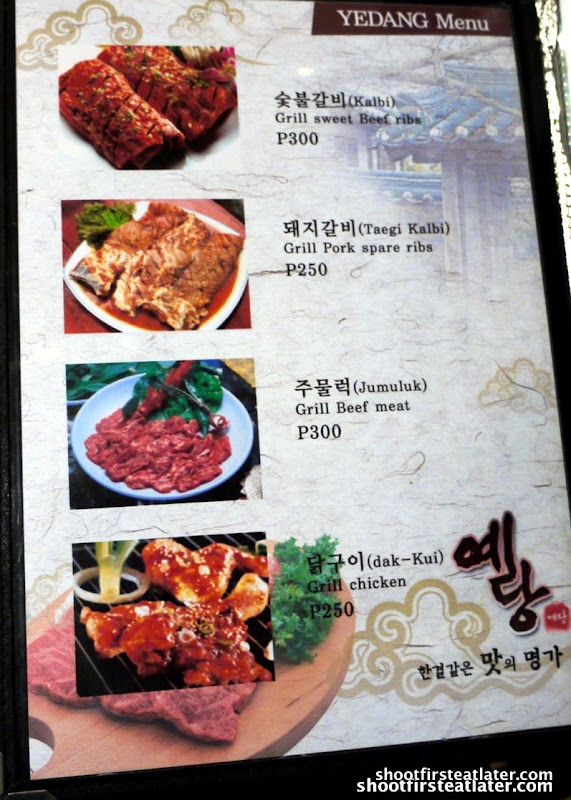
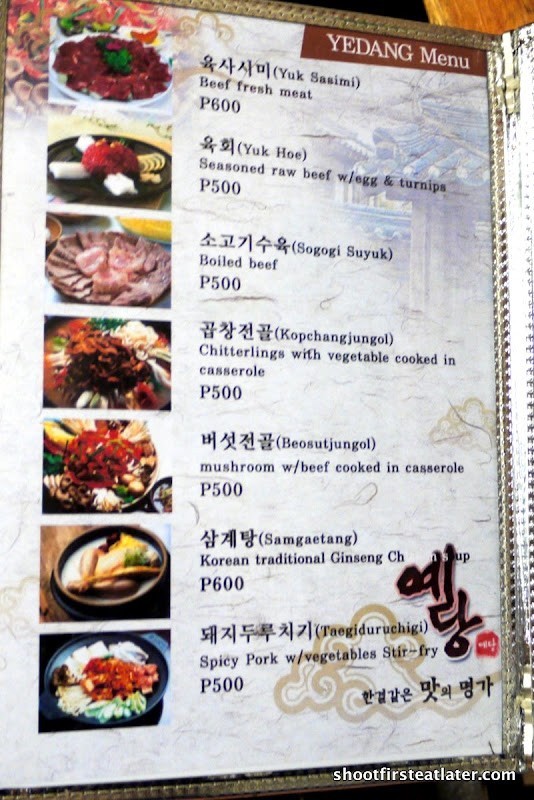
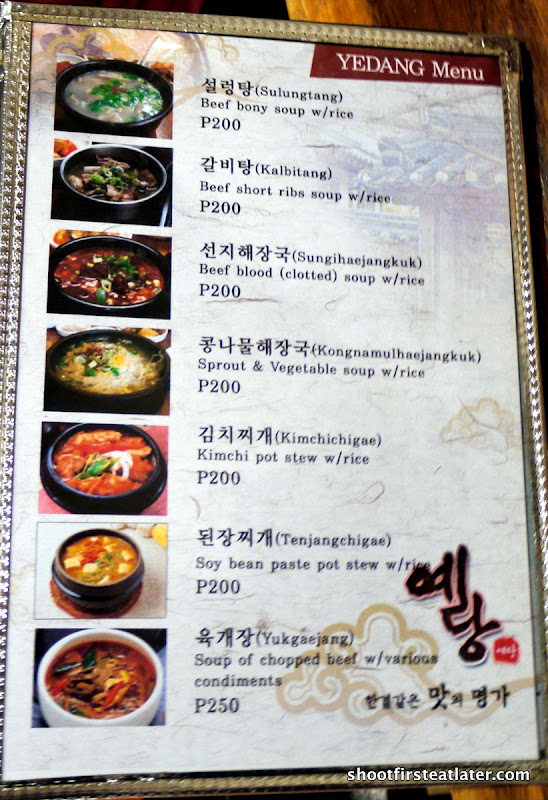
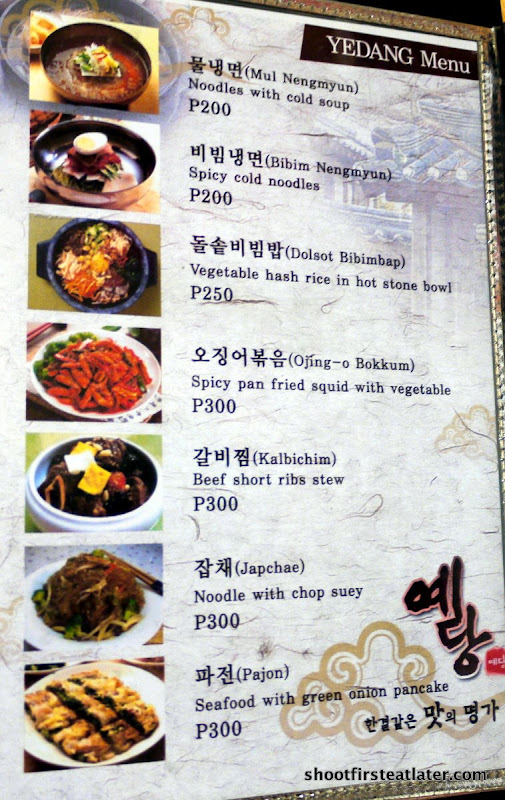
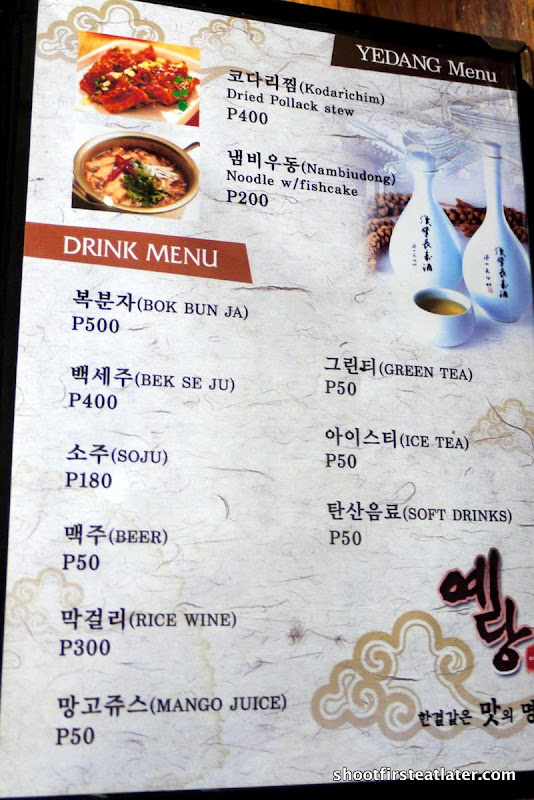
This is what Yedang looks like from the fly-over. It’s where Minggoy’s and Brother’s Burger used to be. It’s near Metrowalk on Meralco Avenue.
Sorry for the blurred pictures. I have to learn to be still. I was probably shaking with excitement for the meal to come.
An indication of whether a foreign restaurant is good is if their local countrymen patronize it. The place was filled with Koreans. The restaurant is also owned and operated by Koreans. So it must be good and authentic.


This ad is 3 years old but I just saw it today when a friend emailed it to me. I found it fascinating so I’m sharing it here.
If you thought that the people who set up a room full of dominoes to have them knocked over later was amazing, you haven’t seen anything yet…
There are no computer graphics or digital tricks in these images. Everything that you see happened in real time exactly as you see it…
The recording required 606 takes and in the first 605 takes there always was something, usually of minor importance, that didn’t work. It was necessary for the recording team to install the set-up time after time and it took several weeks working day and night to achieve this effect. The recording cost 6 million dollars and it took 3 months to finish, including the engineering design of the sequence.
The duration of the video is only 2 minutes, but every time that Honda shows the commercial on British television, they make enough money to support any of us for the rest of our lives. However, this commercial has turned out to be the most displayed in the history of the Internet. Honda execs think that it will pay for itself simply because of the free showings (Honda is not paying one cent for you to see it). When Honda senior execs viewed it, they immediately approved it without hesitation-including costs.
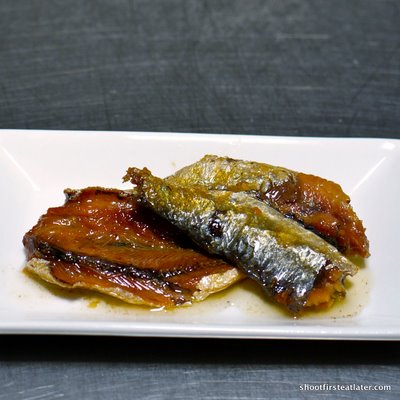
Herring fish is salted and dried under the sun that’s why it’s called Tuyo (dried) in Filipino. Tuyo is then fried then bottled and filled with garlic and olive oil. This is a very convenient way of buying tuyo. You don’t have to bother with frying the fish and the strong smell that goes with it.
I like San Sebastian’s tuyo because it’s not very salty. It’s also firm yet tender. There is no fishy after taste. I’ve only seen this brand in Metro Gaisano supermarket, Pioneer Center supermarket and some kiosks in Market! Market!
Procedure:
1. Sprinkle rock salt on the garlic cloves. Use a knife and mash the salt into the garlic cloves.
2. Chop the garlic finely.
San Sebastian products
Gwyneth cooks! Looks easy and good.
Sapin sapin (steamed coconut layer pudding) is made from glutinous rice or rice flour, coconut milk, ube (purple yam), cassava, and food coloring. Doing entries on Filipino desserts this week made me realize that most of our native desserts are rice based like puto, kutsinta and bibingka.
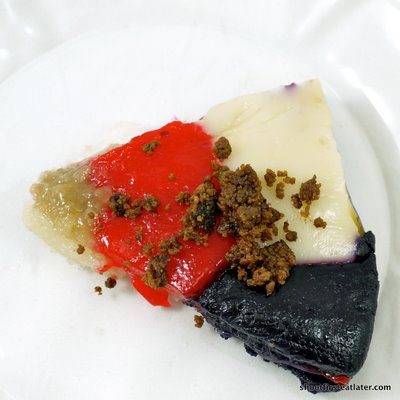
Sapin Sapin is a complex dessert with several layers and sections. Eaten together it’s a play of flavors and textures in the mouth. The hardest decision to make is what colors you want to eat.
The trick is to get a little of each color in one slice. Each color tastes different. The red layer is the stickiest and has a slight aniseed flavor. The yellow layer is soft and creamy. The white layer is made of layers of all the colors. That’s toasted crispy coconut on top.
The purple layer is made with ube or purple yam. It’s creamy with a thicker consistency. It has a unique flavor. At the tip is glutinous rice which is cooked with coconut milk and sugar. It tastes like sweet sticky rice similar to Thai sticky rice dessert with mangoes. The topping on this slice is called latik which is the byproduct of cooking coconut milk until it becomes oil and further cooking it until these soft, chewy brown crumbs are formed.
The white solid section in the picture below is cassava. It’s my favorite part in the sapin sapin. It’s made from grated cassava (a root crop) and coconut milk.
What a fun, fun wedding entrance!!
Recreated on The Today Show.
The batter is poured into a mold lined with banana leaves and baked in a special oven like this.
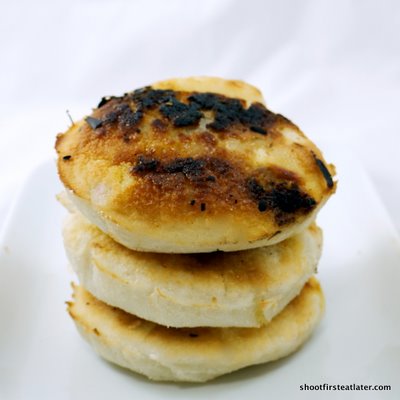
Several brands of mini bibingka have sprouted around town but my favorite is Waray-Waray Bibingkahan which I buy in Market Market. The special bibingka has slices of salted duck egg in it.
I like their bibingka because it’s rich and spongy in texture unlike the others which simply taste like pancake. The size is just right for a quick snack or an after dinner dessert.
other branches:
SM Southmall , Las Pinas City
Festival Supermall, Muntinlupa City
Landmark, Trinoma, Quezon City
I don’t know who the Wonder Girls are but I loved this video of a 4 yr. old kid copying their dance to a T. Even the sexy moves! This was shown in the same TV show in South Korea that first featured Charice. Maybe we’ll see this kid in Ellen next?
This is the Wonder Girls performing the song “So Hot”.
Nobody (in English)